A calorie counter for iPhone
The jar, not the ring.
Yumta shows your day as a jar. Every meal pours in a layer of protein, carbs and fat, and Yumta keeps you company while it fills.
Opens your mail app with a short note to us. We'll reply once, when Yumta is out. iPhone, in English and German.
Your day is a jar
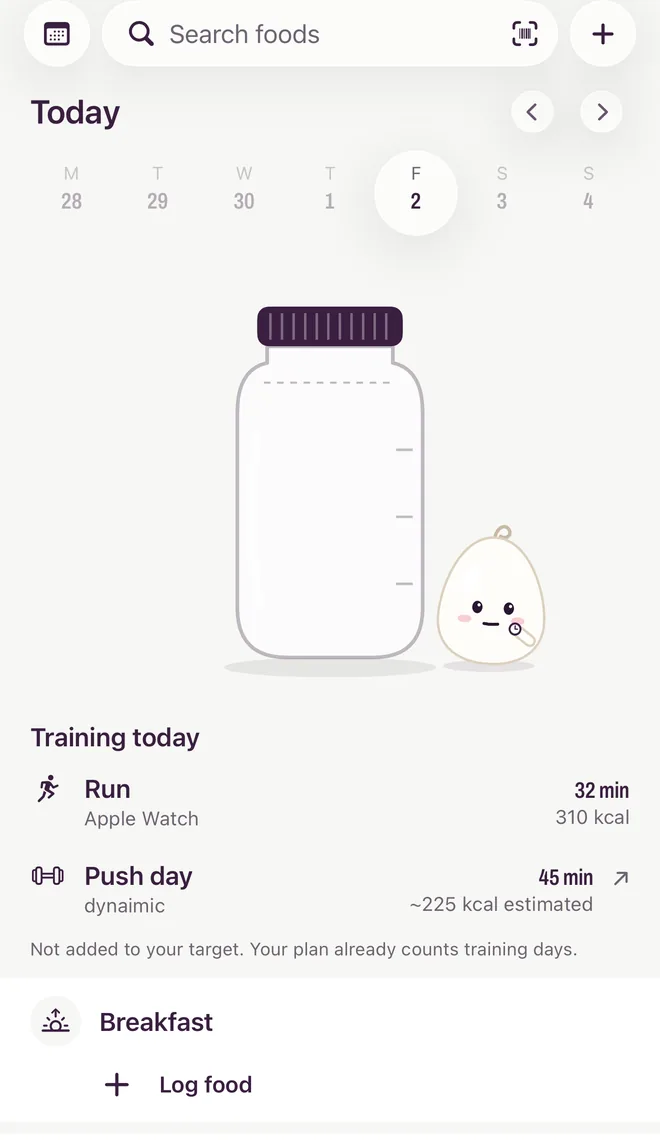
Fat settles at the bottom, then carbs, then protein. The dashed line on the shoulder is your target for the day. Go past it and the lid lifts and the extra runs down the glass in a quiet grey. Never red, never a warning.
-
Empty
Yumta checks its watch. No rush.
-
Filling
Yumta strolls around the jar and taps it now and then.
-
On target
Yumta sits down beside it, content.
-
Over
Yumta holds the jar together. Tomorrow is a new jar.
Log it the way you remember it
Six ways in, all ending in the same place: a meal you can check before it counts.
-
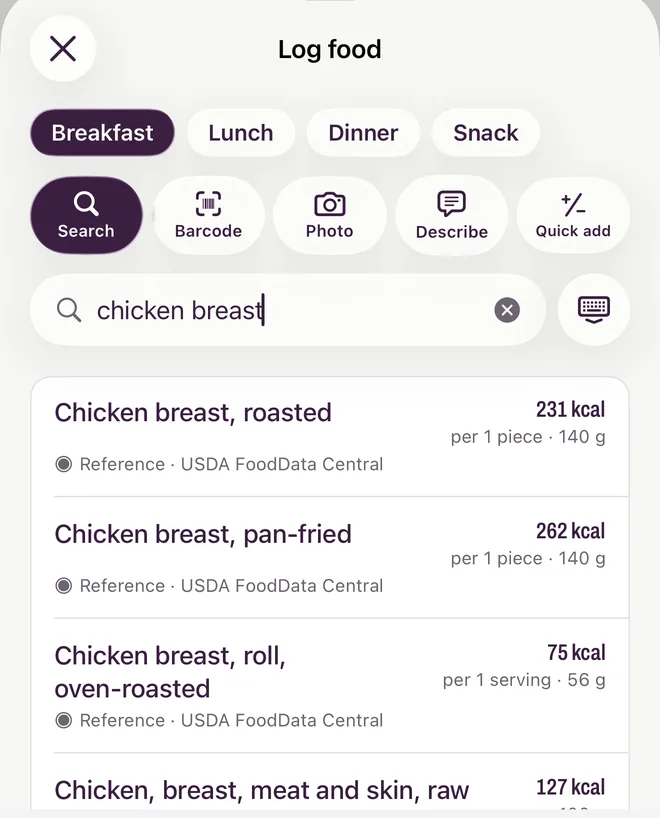
Search
Foods from USDA FoodData Central and Open Food Facts, plus the ones you add yourself.
-
Barcode
Scan a pack. If a product is missing, add it by hand, or scan its label.
-
Label scan Premium
Photograph the nutrition table. Yumta copies the printed values and you check them against the pack.
-
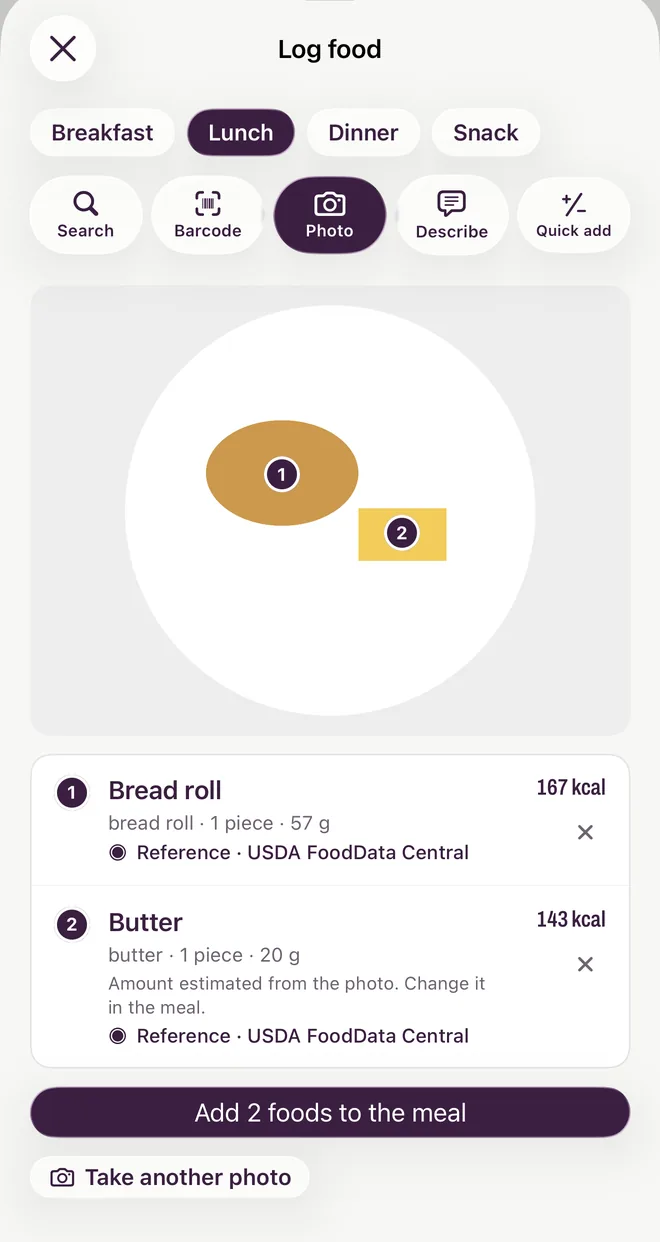
Meal photo Premium · 3 free
Snap your plate. Yumta finds the foods and suggests portions. Your first 3 photo logs are free.
-
Describe Premium
Type “two eggs, toast with butter, coffee with milk” and get a meal ready to log.
-
Quick add
Just a number, for when that's all you have.
Every number has a source
Nutrition numbers come only from food databases and printed labels, never from AI. When AI helps, it only recognises the food and suggests how much.
- Numbers from dataEnergy, protein, carbs and fat come from USDA FoodData Central, Open Food Facts or the label on the pack.
- The portion is the only estimateIt's always shown and always yours to change.
- Every food shows where it's fromReference, label, or yours: the source line is on every food.
- No shameOver target is a calm grey drip. Days before you started don't count against you.
- Energy
- 231 kcal · 967 kJ
- Protein
- 43.4 g
- Carbohydrates
- 0 g
- of which sugars
- 0 g
- Fat
- 5.0 g
Four meals and a little context
Breakfast, lunch, dinner and a snack are always there. An empty meal is just a place to log, not a gap.
With Apple Health, a “Training today” line shows your workouts and active energy. It's context only: your plan already counts your training days, so nothing gets added back.
See the weeks, not just the day
Journey shows your weight trend and a map of every day you logged.
Each day is coloured against your target: blue well under, green on target, yellow a bit over, red way over. Days before you started are simply empty.

A plan with a date
Answer a few questions and Yumta builds your plan: a daily energy target, protein, carbs and fat, and a projected date for your goal.
It re-plans as your weight changes, so even a slow pace gets a real date. Kilograms or pounds, kcal or kJ.
About 78 kg around 14 Mar 2027
An example plan, losing about 0.4 kg a week.
Fits into your iPhone
Apple Health
Writes your meals' energy and macros. Reads your weight and workouts. Optional, and you choose what it shares.
Widgets
The day jar and what's left on your Home Screen and Lock Screen, the map of your last 12 weeks, and Control Center buttons to log or scan.
Siri and Shortcuts
Say “Log food in Yumta” and it opens straight into logging.
Sign in with Apple
No password. Answer the questions first; you only sign in to save your plan.
Your data, your call
Export your meals, weigh-ins and plan any time. Delete your account in the app, and your data is deleted from our servers too.
Numbers-light mode
Hides calories across the app. Portions and your map stay.
Yumta plans your eating. dynaimic plans your training.
Same maker, one idea: apps that help without nagging. dynaimic is a workout planner for iPhone that fits each session to your goals, your equipment and how the last one felt. Yumta doesn't track workouts itself; it leaves that to dynaimic and Apple Health.
Coming soon to the App Store
For iPhone, in Europe and the US, in English and German.
Questions before then? Support has answers, and support@yumta.app reaches a person.